Shift planning that lets your team
breathe.
Say goodbye to WhatsApp chaos and paper notes. Create schedules in minutes and let your team handle swap requests themselves.
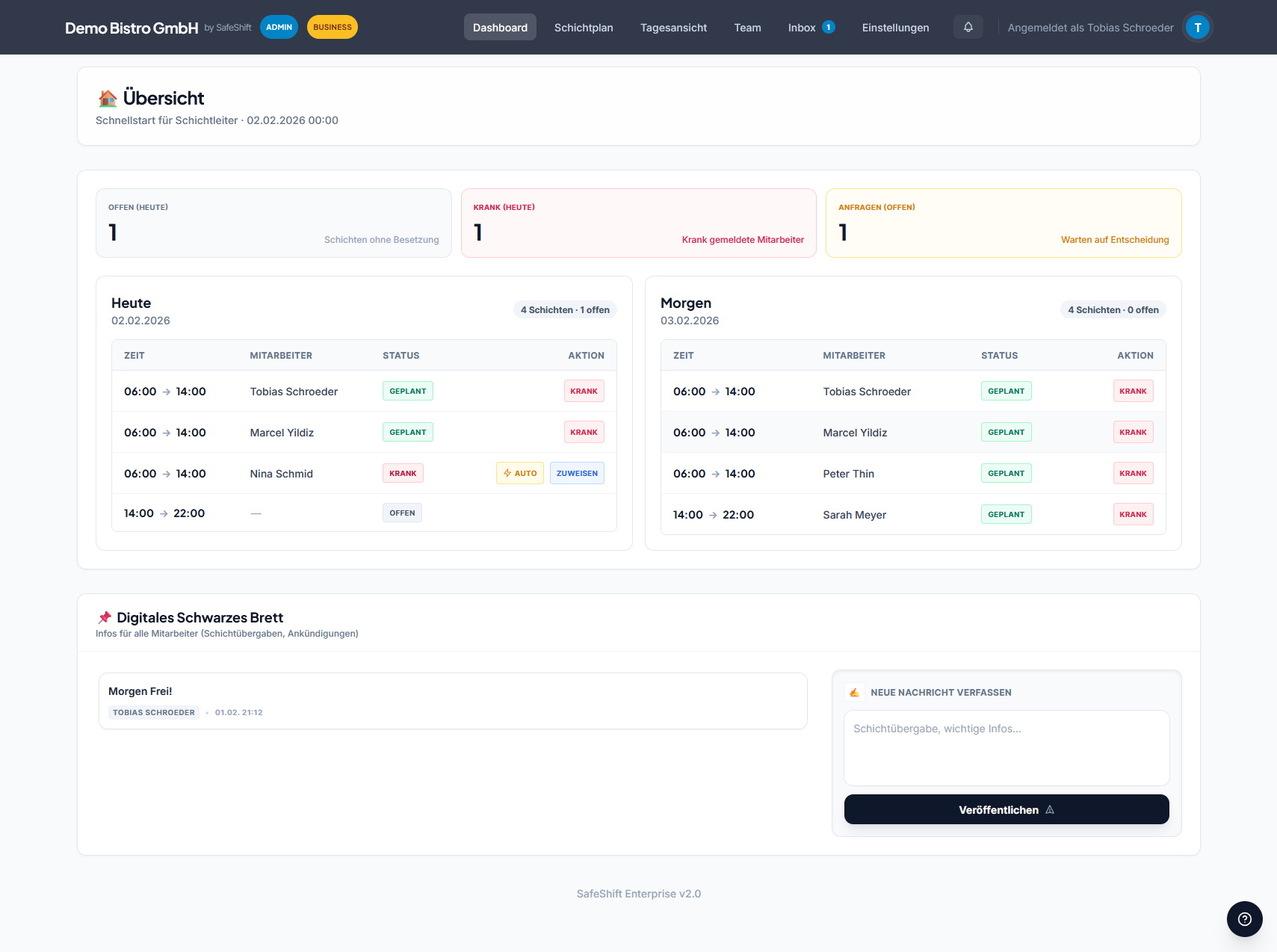
Perfect for dynamic teams
The daily chaos is annoying.
Endless WhatsApp threads
"Who can cover for Lisa on Saturday?" – and then: silence or 50 messages.
Outdated Excel sheets
Printed once, updated never. Changes come via notes, shouts, or not at all.
Lisa took Tom's shift. Schedule updated.
There is a stress-free way.
SafeShift is your "Single Point of Truth". One schedule that is always up to date and makes changes transparent.
- Everyone has the schedule on their phone
- Spot & avoid conflicts instantly
- Fairness via transparent hour tracking
Everything you need. Nothing that annoys.
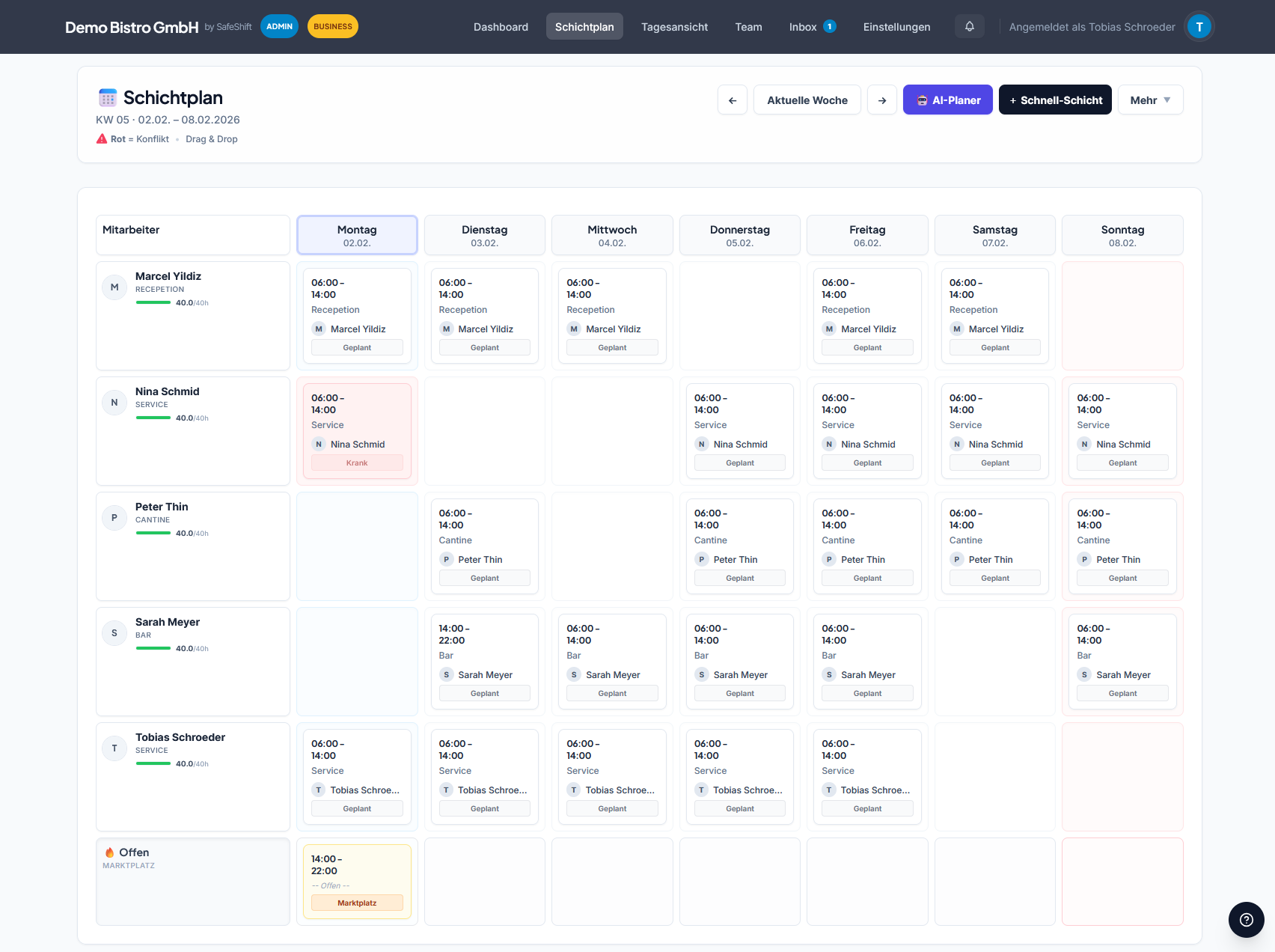
Planning at light speed
The intuitive grid puts an end to Excel frustration. Click to create shifts and drag & drop them where you need them.
Templates & Recurring
Save time by simply copying successful weekly schedules.
Targets & Conflicts
Instantly see who is already booked or hit their hours.
Participation instead of orders
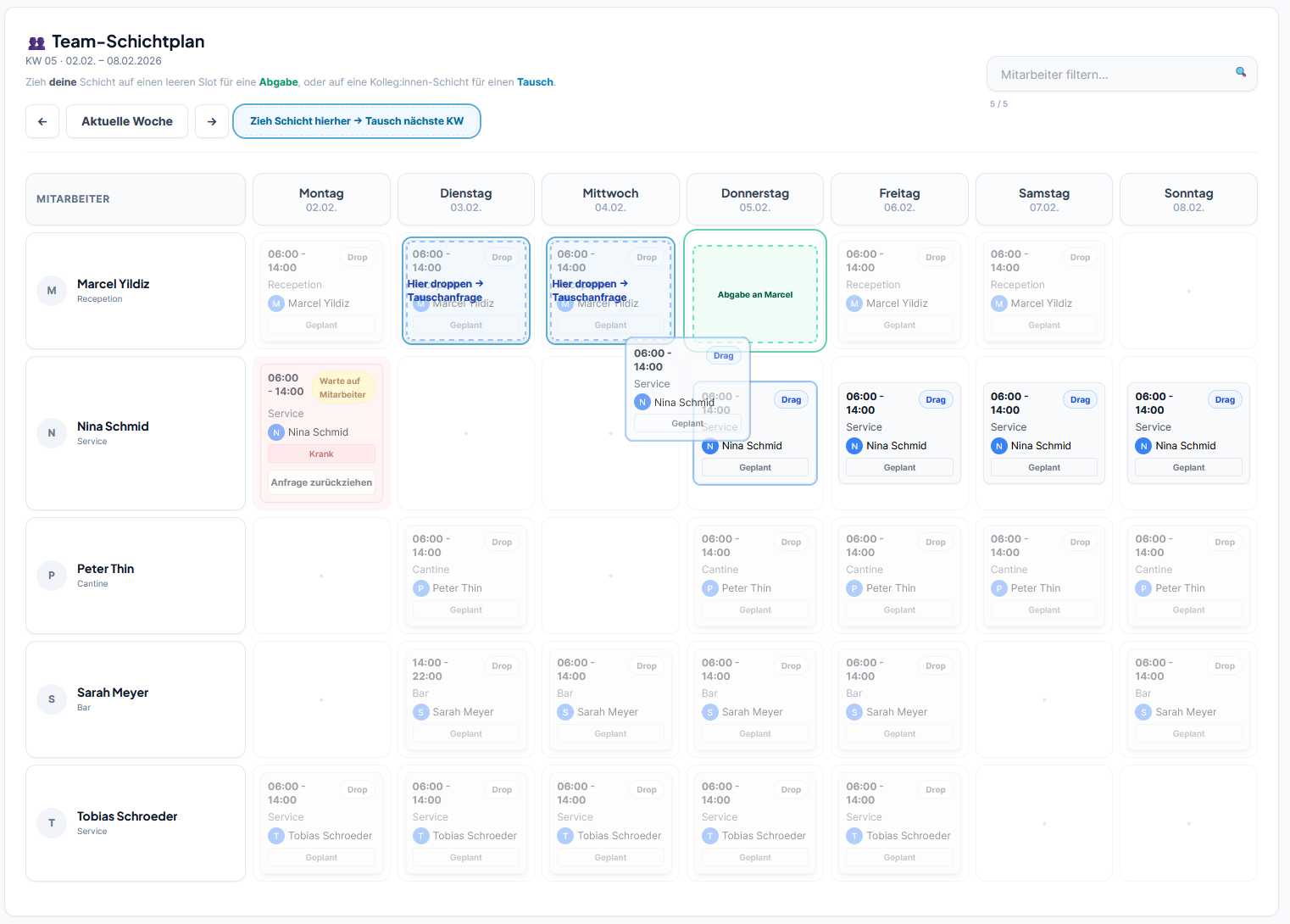
Give your team the tools to organize themselves. Shifts can be swapped or taken over – you just have to approve.
- Open shifts ("Marketplace")
- Swap requests directly to colleagues
- Set own availability
Fair pricing for every team
Start with the free forever plan.
Free forever.
Start now- Up to 5 employees
- In-App Notifications
- E-Mail Notifications
- Shift Marketplace
- Vacation Planner
- Shift Templates
- Auto Sick Substitution ⚡
- Reporting & Export
- AI Shift Planner ✨
Everything for pro planning.
Start now- Up to 20 employees
- In-App Notifications
- E-Mail Notifications
- Shift Marketplace
- Vacation Planner
- Shift Templates
- Auto Sick Substitution ⚡
- Reporting & Export
- AI Shift Planner ✨
For multi-location & power users.
Start now- Up to 200 employees
- In-App Notifications
- E-Mail Notifications
- Shift Marketplace
- Vacation Planner
- Shift Templates
- Auto Sick Substitution ⚡
- Reporting & Export
- AI Shift Planner ✨
Plans can be selected in the member area after registration.
Frequently Asked Questions
Do employees need to install anything?
No. SafeShift runs directly in the browser on any smartphone, tablet, or PC. Just open the link, login, done.
Is the Free Plan really free?
Yes, forever. No hidden costs. You can use SafeShift for as long as you like.
How secure is my data?
Very secure. We use modern encryption and strictly separate data by company (multi-tenancy).
Ready for relaxed planning?
Ready to go in less than 5 minutes. No risk.
Create free account© 2026 SafeShift. All rights reserved.